
What Does Help Banking Device Mean?
The phrase “help.banking device” is not a widely recognized banking term with one standard definition. It may refer to a help page or support prompt about a banking device, such as a security token, card reader, authentication app, or trusted mobile phone. The exact meaning depends on where the phrase appeared. Banks use different devices and tools to verify customer identity and approve transactions. A short phrase in a browser, text message, or statement is not enough to identify the product.
What Does A Banking Device Mean?
A banking device is a physical or digital tool used to access an account, verify a customer, or authorize a transaction. Examples include a smartphone with a banking app, a hardware security token, a card reader, or another authentication method. The bank determines which token is supported and how it is activated. For a bank-specific example of online access and transaction confirmation, see this guide to Credem home banking. Credem’s Internet Banking information is one bank-specific example of online access and authentication.
What Is A Banking Security Token?
A security token generates or receives a code used to verify an action. Some tokens are physical devices with a screen or button. Others are software-based and operate through a mobile application. A code may be used for login, payment confirmation, or another security step. Follow the bank’s official instructions rather than downloading an unfamiliar token app.
Is A Banking Device The Same As A Mobile Banking App?
Not always. A mobile banking app may let customers check balances, transfer money, and manage accounts. A separate authentication app may generate codes or approve transactions. Some banks combine these functions, while others keep them separate. Verify the app publisher and download link through the bank’s official website or app store listing.
Why Might A Bank Ask You To Register A Device?
Device registration can help a bank recognize a phone, tablet, or computer used to access an account. It may support multifactor authentication, fraud monitoring, or transaction approval. A trusted device is not immune to malware, theft, or unauthorized access. Remove old devices from trusted-device settings and contact the bank if you cannot revoke access.
How Can You Fix A Banking Device That Is Not Working?
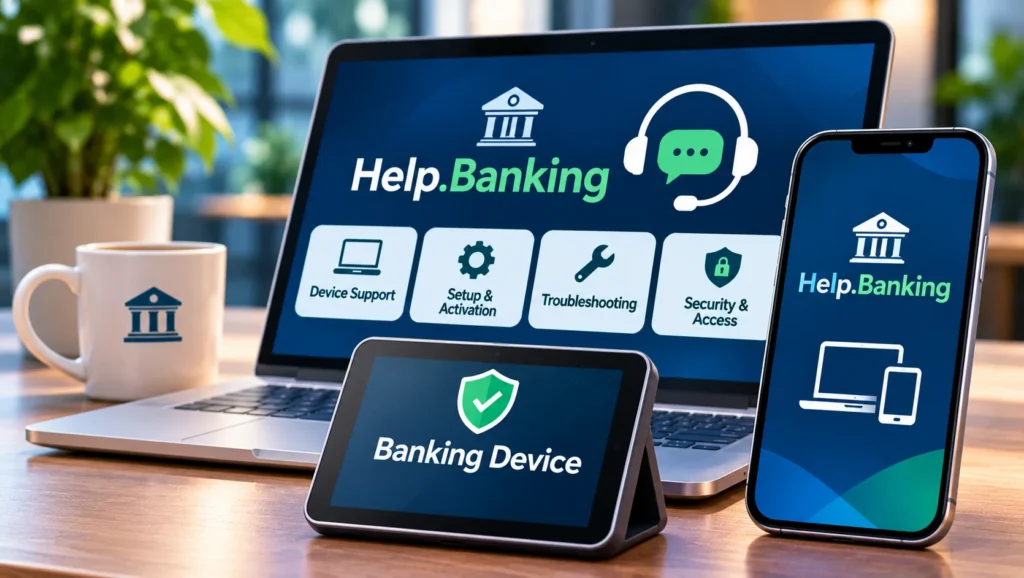
The correct steps depend on the bank. Check that the phone’s date and time are automatic, the app is updated, and the device has internet access. Confirm that the device has not been reset or replaced since registration. Do not delete app data before checking the bank’s instructions. Contact official support if a code remains invalid.
What If Your Physical Token Is Lost Or Damaged?
Contact the bank immediately and report the lost or damaged token. Ask whether it can be disabled and how to obtain a replacement. Do not use another person’s token or buy an unofficial replacement. The bank may need to verify identity and issue a new device linked to the account.
How Can You Tell Whether A Banking Device Message Is Genuine?
Scammers may claim that a device must be registered, a token has expired, or a payment needs urgent approval. Be cautious if a message threatens account closure, asks you to install remote-access software, or requests a password or one-time passcode. Open the bank’s app independently and verify the request. Credem’s phishing guidance warns against sharing passwords and confirmation codes.
What If Help Banking Device Appears On A Bank Statement?
If the phrase appears in a transaction description, it may be a shortened merchant name, payment descriptor, or bank-specific label. It is not enough to establish that the transaction relates to an authentication device. Check date, amount, currency, transaction type, and merchant details. Ask the issuer to identify the payment origin. This explanation of EFT meaning in banking describes common electronic payment categories. The CFPB’s EFT guidance explains U.S. consumer electronic-transfer protections.
How Can You Keep Banking Devices Secure?
Keep operating systems and banking apps updated. Use a device passcode or biometric lock, enable remote-lock features, and avoid unofficial apps. Before replacing a phone, check the bank’s process for transferring authentication. Remove banking access from the old device after the new one is activated, or report the old phone immediately if lost.
How Can You Verify A Banking Help Page?
Check that the page is hosted on the bank’s genuine domain and linked from its official website. A page that asks for a full password, card PIN, or one-time code outside the bank’s normal process should be treated with caution. Logos and familiar wording can be copied by fraudulent pages. For a separate professional-services cost topic, see how much private investigators charge.
What If A Banking Device Is No Longer Supported?
A bank may retire an older token or authentication method when it updates its security platform. Check the official notice for the replacement process and deadline. Do not install a substitute application from a link in a message. If the old device stops working before the transition is complete, contact the bank and ask for a verified alternative.
How Can You Protect A Banking Device From Theft?
Use a strong screen lock, enable device-finding and remote-wipe features, and keep the operating system updated. Avoid leaving a phone unattended in public places. If it is stolen, contact the bank and mobile provider promptly. Change the password for the email account linked to banking because email access can help attackers reset other credentials.
Why Should You Avoid Public Wi-Fi For Banking?
Public networks can expose users to fake access points and insecure connections. A bank’s encrypted website helps protect information, but customers should still use trusted networks and keep devices updated. If you must access an account while travelling, use a trusted mobile connection and verify the bank’s domain before signing in.
What If A Banking Device Is No Longer Supported?
A bank may retire an older token or authentication method when it updates its security platform. Check the official notice for the replacement process and deadline. Do not install a substitute application from a link in a message. If the old device stops working, contact the bank and ask for a verified alternative.
How Can You Protect A Banking Device From Theft?
Use a strong screen lock, enable device-finding and remote-wipe features, and keep the operating system updated. Avoid leaving a phone unattended in public places. If it is stolen, contact the bank and mobile provider promptly. Change the password for the email account linked to banking because email access can help attackers reset other credentials. A genuine security request should fit the normal process described by the bank. If a message asks you to install software, approve a transaction you did not initiate, or disclose a code, treat it as suspicious. Contact the bank independently and ask whether the request is legitimate. Keep a copy of the message and note the time received. Reporting early can help the bank assess whether other customers may be receiving the same attempt.
A genuine security request should fit the normal process described by the bank. If a message asks you to install software, approve a transaction you did not initiate, or disclose a code, treat it as suspicious. Contact the bank independently and ask whether the request is legitimate. Keep a copy of the message and note the time received. Reporting early can help the bank assess whether other customers may be receiving the same attempt.
What Information Should You Give The Bank When Reporting A Device Problem?
Explain which device is affected, whether it is lost, damaged, replaced, or simply failing to authenticate, and when the problem began. Identify the app or token name as shown by the bank, but do not send passwords or one-time codes. Mention any unexpected login alerts or transactions. The support team may need to verify your identity before changing access settings. Ask whether the old device has been disabled, whether a replacement is required, and how to confirm that the new setup is secure. Keep the case reference for future contact.
Frequently Asked Questions
What Is A Banking Device?
It is a physical or digital tool used to access an account, verify identity, or approve a transaction. Examples include phones, authentication apps, tokens, and card readers.
Is Help.Banking Device A Real Banking Service?
The phrase alone does not identify a specific bank or service. It may be a support label, device-authentication reference, or transaction descriptor.
Why Does My Bank Ask Me To Verify My Device?
Banks may use device verification to recognize a phone or computer and add a security check during login or payment approval.
Can I Use A New Phone For Online Banking?
Usually, but you may need to register the device or reactivate an authentication app through the bank’s official process.
What Should I Do If Someone Asks For My Banking Code?
Do not share it. End the interaction and contact the bank through its official app, website, or card number.
Final Takeaways
“Help banking device” does not have one established meaning without context. It may refer to device registration, an authentication tool, a bank support page, or a transaction descriptor. Banks use phones, security apps, tokens, and card readers to verify access and payments. Confirm the source through the official bank, never share one-time codes, and report unfamiliar transactions or device alerts promptly.